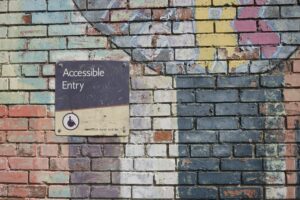
Photo by Daniel Ali on Unsplash
ALT text: a metal sign secured to a brick wall stating “Accessible Entry”
Making Online Spaces More Accessible
I really enjoyed learning about enhancing accessibility and inclusion in multimedia design and learning. Having accessible media online that assists those with disabilities intake the information presented is important to ensure no one is excluded from online media and can also have positive effects for all users and learners. It was great to see how many tools there are available to enhance accessibility and to learn how to implement these changes. This week, I will use two of these tools, the WAVE accessibility checker and the Speechify text reader to assess my previous blog post for adequate accessibility.
Analyzing My Previous Blog with WAVE
After running the WAVE software on my previous blog post, “Exploring Sketchnoting“, I saw that there was numerous aspects of the post that did not meet the accessibility evaluation standards. First of all, I did not include ALT text information for my embedded picture. This is especially important as the blog mainly discusses the process of a drawn picture I had attached. As well, the WAVE software indicated that there was low contrast between the light teal colour of my hyperlinks and the background. I attempted to correct this but it appears that this is a feature of the template I have chosen and hyperlink colour can no be changed. This is something I will try to rectify and something I will keep in mind when creating media in the future. The WAVE software also alerted me that synchronized captioning should be available for a Youtube video I had hyperlinked and that auto captioning provided on most Youtube videos may not be sufficient. I watched this Youtube video with autocaptions on and found that this is absolutely correct. Within the first 30 seconds of the video, I spotted errors that made the captions difficult to understand. Synchronized captions or a transcript should have been provided for this. I also had a second video embedded portraying a TED talk. When watching this video with captions on, I noticed that the captioning was much more accurate than the Youtube video, however, if they were not, synchronized captions or a transcript should have been provided for this as well.
Analyzing My Previous Blog Post with Speechify
I used the text reader Speechify to analyze my previous blog post. I found that I was able to mostly understand the blog post using the text to speech tool, however, it would have been easier to understand if the image of my sketchnote had alternative text describing it. A header underneath the TEDtalk video that I wrote my sketchnote from would have been useful as well. I also noticed that Speechify does not indicate punctuation such as quotations nor does it indicate when hyperlinks are used. I assume that this is because Speechify is mainly used to listen to speech in conjunction with reading the text or to read large blocks of text only.
The Takeaway
I found the experience of analyzing my previous post very eye opening. My previous blog post was not as accessible as it should be and requires the changes detailed above in order to be more inclusive. Moving forward from this assignment and associated readings I will be much more mindful when creating media online and I am eager to learn more about the ways to make online spaces and creations more accessible.
Leave a Reply